User Dashboard
Warning
This page is work in progress.
The User Dashboard serves as a high level view of both summary and aggregated user data.
User Activity
User activity contains widgets, which are individual visual representations of data. Examples of those widgets include:
- Skeletal Elements Assocciated To Individual
- DNA Sample Information
Those widgets can be added and removed via the widget selector. User activity widgets are present in the Org admin dashboards
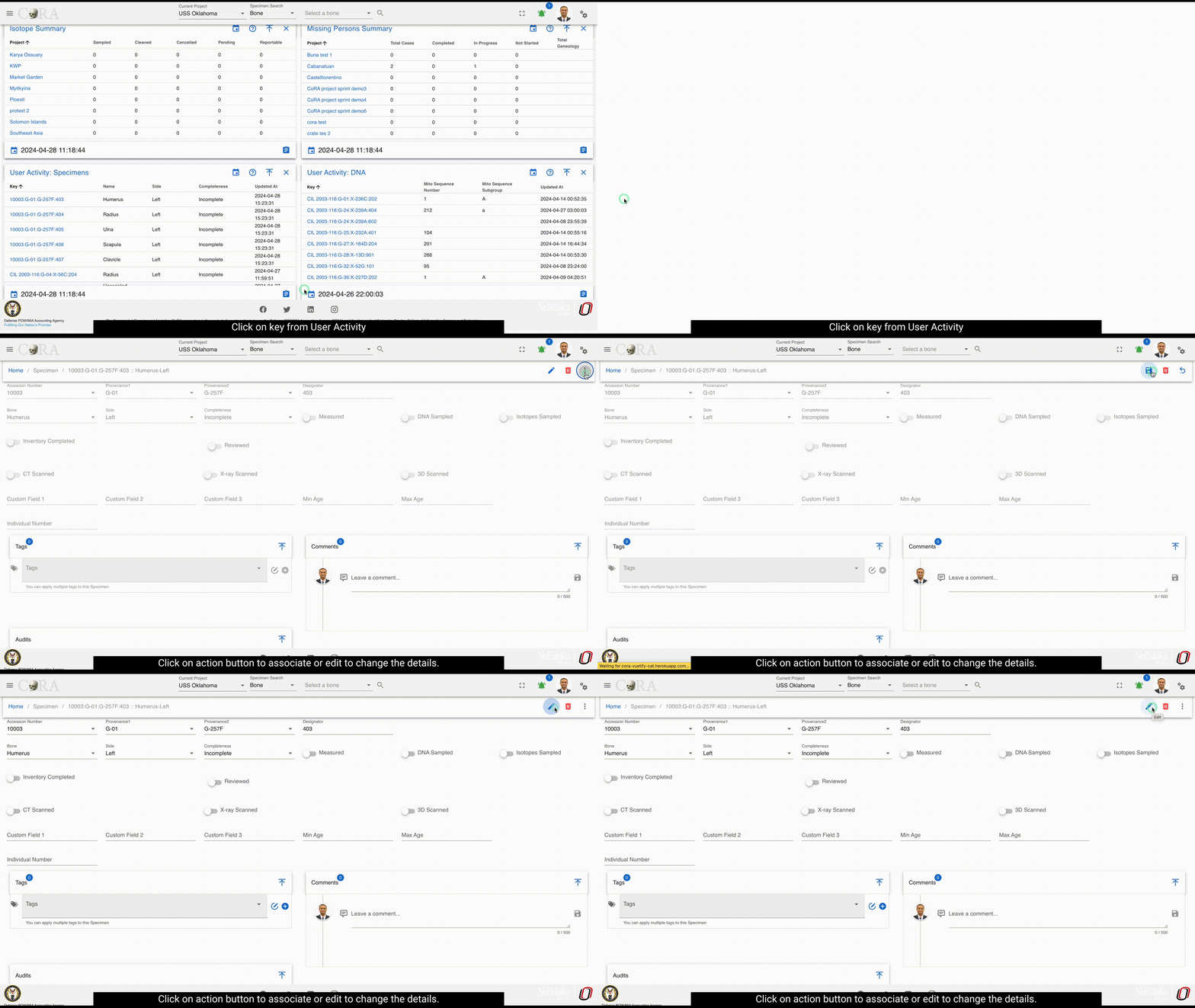
On Click of key from the user activity widget present on dashboard shows the specimen page with details to edit and other actions.
On Click of details present on widgets, provides all the data for the selected module.
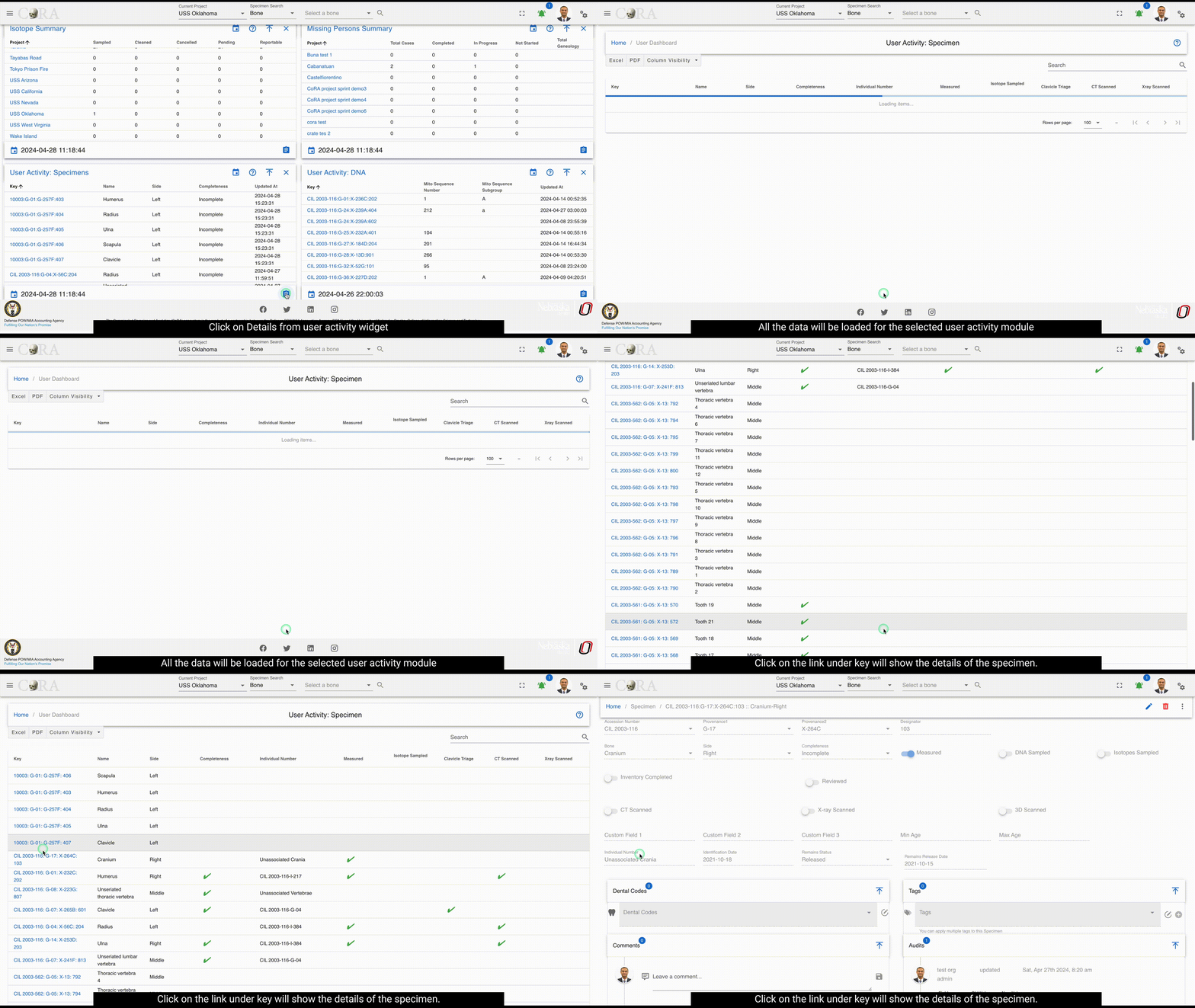
Below are the fields that are visible:
- Key
- Name
- Side
- Completeness
- Individual Number
- Measured
- Isotope Sampled
- Clavicle Triage
- CT Scanned
- Xray Scanned
- Inventoried
- Reviewed
- Inventoried At
- Reviewed At
- Created By
- Created At
- Updated By
- Updated At
These fields will vary depending on type of module selected
User Activity Specimen
Warning
This section is work in progress.
Last update:
2025-11-22
Created: 2024-10-31
Created: 2024-10-31